
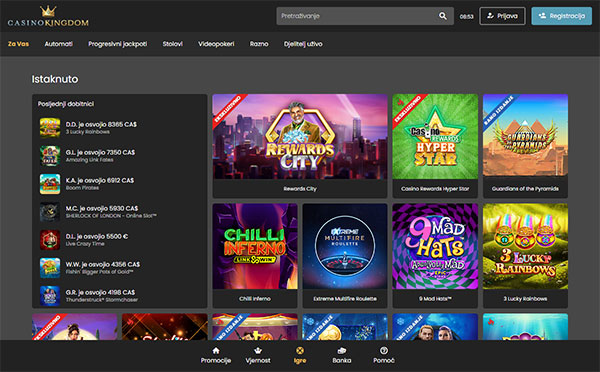
I’ve set up more online casino accounts than I can count, and I still remember the first time I hesitated at the registration screen. The form appeared easy, yet I was curious about the hidden steps before providing my data. As a Canadian player eyeing the Casino Kingdom sign-up, I’ll explain the complete workflow, starting with the first click and ending with full verification.
The Importance of a Robust Sign-Up Process for Your Safety
Initially, when I began playing at Canadian online casinos, I saw registration as a small obstacle. It didn’t take long to see that detailed registration forms the basis of a safe gaming environment. This isn’t merely about picking a username; it’s the process that ensures your money stays safe, stops minors from playing, and complies with the regulations that platforms like Casino Kingdom, serving Canadians, must adhere to.
Every field you fill out ties back to your account’s integrity. Your genuine name, birth date, and address allow the casino to verify your identity. Canadian provincial and federal regulations require operators to confirm identity prior to any payout, so the details you provide during registration will directly impact how easily you can withdraw funds later.
I’ve observed gamers quickly filling out the form with incorrect data, only to encounter problems during withdrawal requests. A legitimate sign-up process acts as a filter that separates serious players from fraudsters. The registration at Casino Kingdom is built to obtain precisely the required data without added complexity, and recognizing that goal allowed me to trust the platform right away.
Securing Your Account Following You’re In
Completing the sign-up and verification stages doesn’t indicate my security work is complete. I promptly take a few extra steps to harden my account against unauthorized access. Casino Kingdom provides several built-in tools, and I use all of them. A compromised account can deplete funds in minutes, so I treat post-registration security as rigorously as the sign-up itself.
Turning On Two-Factor Authentication
The most effective change I make is setting up two-factor authentication (2FA). In the account settings, I connect an authenticator app like Google Authenticator or Authy. Once enabled, every login requires a time-based one-time code from my phone alongside my password. Even if someone acquires my password, they are unable to get in without direct access to my device.
I also save the backup codes the system creates. I hold these offline in a safe place, not in my email or cloud storage. If I misplace my phone, those codes allow me to recover access without going through a protracted recovery process. For Canadian players who move between provinces, 2FA adds an further layer of protection when logging in from strange networks.
Identifying Phishing Attempts
I’ve seen fake emails that look exactly like Casino Kingdom correspondence, requesting me to “verify my account” by clicking a link. I never click links in unrequested emails. Rather, I open my browser and enter the Casino Kingdom address by hand. The genuine login page will not ask for my password via email, and any critical threat of account closure is a red flag.
I also verify the sender’s email domain carefully. Genuine messages come from the official domain, not a incorrect variation. If I’m ever uncertain, I reach support through the live chat on the actual website. Staying vigilant about phishing preserves my credentials secure far beyond the initial registration is complete.
These are the security habits I adhere to without exception:
- I update my password every ninety days and don’t reuse old ones.
- I log out after each session, especially on public or work devices.
- I review my account activity weekly for any unknown login locations.
- I keep my device operating system and browser patched to fix vulnerabilities.
- I don’t share my screen with anyone while logged into my casino account.
Walking Through the Casino Kingdom Registration Process
The initial time I accessed the Casino Kingdom sign-up page, I liked how the form was organized into logical sections. It did not overload me with numerous fields at once. Instead, it walked me step by step, and I could see exactly how much progress I was making. I’ll explain each part so you understand what to expect and why each input counts.
Filling In Your Personal Details
The initial screen asks for your first and last name, date of birth, and gender. I input my legal name precisely, no nicknames or shortened versions. The date of birth field is not only a formality; it instantly confirms you meet the minimum age for your province. If I had a mistake here, the system would deny the registration outright or tag my account for manual review later.
Next, I submit my email address and pick a username. The email is critical because it becomes the chief channel for all security notifications and the verification link. I steer clear of using disposable email services, as Casino Kingdom’s system is inclined to block domains commonly associated with temporary inboxes. The username I pick will be displayed to support staff, so I maintain it professional and never include personal information.
Establishing a Strong Password and Security Questions
The password area is where I spend a few additional seconds. I create a password that blends uppercase letters, lowercase letters, numbers, and symbols, targeting at least twelve characters. I never reuse a password from another website, specifically not from my email or banking. A password manager helps me generate and store it securely, so I don’t need to memorize anything complicated.
After the password, I’m prompted to select security questions and provide answers. I consider these answers like secondary passwords. In place of giving true answers that someone could guess or find on social media, I use random, memorable phrases. For example, for “What is your mother’s maiden name?” I might store a nonsensical string in my password manager. This prevents social engineering attacks later on.
The final part of the form collects my full address, city, province, and postal code. I confirm that the province I choose matches my actual location, because Casino Kingdom’s compliance team compares this with my IP address and later document submissions. I also input my phone number, which I’ll utilize if I ever require to recover my account via SMS.
Email Verification and Your First Successful Login
Once I submit the registration form, the screen doesn’t let me in right away. Instead, I see a message directing me to check my email for a verification link. This step is non-negotiable, and I’ve discovered to complete it within minutes. The link inside that email expires quickly, and if I wait too long, I’ll have to request a new one from the login page.
I open my inbox and search for a message from Casino Kingdom. Sometimes it lands in the spam or promotions folder, so I check those tabs if it isn’t visible within sixty seconds. The email includes a single-click verification button. I press it, and my browser loads a confirmation page that informs me my email is now verified. At that point, my account becomes active and I can proceed to my first login.
Heading back to the Casino Kingdom login page, I input my newly created username and password. If I’ve typed everything correctly, I’m taken straight to the cashier or lobby. I ensure to log in from a private, secure network, never on public Wi-Fi. That first successful login proceeds smoothly because the groundwork I laid during registration was accurate and complete.
The Identity Check That Maintains Legal Standards
A lot of fresh Canadian users I’ve chatted with aren’t aware that registration is only the beginning. Prior to withdrawing funds, I have to finish identity verification. This is the KYC process mandated by anti-money laundering regulations that apply to Casino Kingdom. It’s not a punishment or a delay tactic; it’s the same standard I’d encounter at any land-based casino when cashing out chips.
What Documents I Typically Provide
I prepare three types of documents: proof of identity, proof of address, and sometimes proof of payment method. For identity, I use my Canadian driver’s license or passport. The document must be valid and show my full name, photo, and date of birth. I snap a clear image or scan ensuring all four corners are shown and nothing is cut off.
For address verification, I submit a utility bill, bank statement, or government-issued letter dated within the last three months. The name and address on this file must correspond exactly to what I used during registration. If I moved recently, I update my address in the account settings before uploading anything. For payment confirmation, if I used a credit card for deposits, I may have to submit a photo of the reddit.com card with the middle digits hidden, revealing only the final four digits and my name.
How Long the Review Takes
I submit my files via the protected document uploader in my account panel. The software encrypts the documents instantly, and I avoid emailing them. Based on my experience, Casino Kingdom’s verification department checks submissions within twenty-four to forty-eight hours, although during high-demand periods it can be a bit slower. I receive an email once the check is complete.
If something doesn’t match, the team sends a specific reason rather than a generic rejection. I’ve had a case where my utility bill showed an abbreviated version of my street name, and I simply re-uploaded a bank statement with the full address. Once cleared, the payout option activates, and I understand my account fully adheres to Canadian regulatory requirements.
Resolving the Typical Sign-Up Issues
Although I stick to every step thoroughly, sporadic hiccups arise. I’ve aided friends in Ontario and British Columbia work through registration issues that seemed confusing at first but had straightforward fixes. Understanding how to pinpoint these problems saves frustration and maintains the sign-up process moving without unnecessary support tickets.
One recurring issue I encounter is the verification email never arriving. I start by reloading my inbox and checking the spam folder. If it’s still missing after five minutes, I use the “Resend verification email” option on the login page. I also verify my email provider isn’t filtering automated messages. Appending the Casino Kingdom sender address to my contacts often solves the problem permanently.
Another frequent roadblock is an address mismatch error during the KYC stage. This commonly happens because the address on my ID differs from my current residence. In Canada, driver’s licenses often display an older address if I have not updated them. I rectify this by sending a recent bank statement or utility bill that reflects where I actually live, and I adjust my profile address to align with that document before re-uploading.
Sometimes the registration form rejects my postal code format. I’ve found that the system requires the standard Canadian six-character format with a space in the middle, like A1A 1A1. Typing it without the space or using lowercase letters can provoke a validation error. I input it exactly as it is written on my mail, and the form accepts it immediately.
If I at any point get stuck in a loop where the login page persists redirecting me back to the sign-up form, I erase my browser cache and cookies. This clears any corrupted session data. I also disable browser extensions that might conflict with the site’s scripts, particularly ad blockers or privacy plugins. A clean browser session resolves most technical glitches I’ve faced during registration and first login attempts.
What You Must Gather Before You Click “Sign Up”
Before I even open the registration page, I prepare a few essentials. This small preparation step prevents me from scrambling mid-form and reduces the chance of typos that can hold up verification. If you’re in Canada, the requirements are consistent with what most regulated gaming sites ask for, and having everything within reach makes the whole thing go smoother.
I always hold my government-issued photo ID nearby, even though I won’t submit it during the initial sign-up. You’ll have to use that later for the Know Your Customer (KYC) stage, and being aware the details match exactly what I’m about to type offers me confidence. I also verify that my residential address matches the one on my utility bill or bank statement, because that’s the address verification document I’ll finally submit.
Here’s what I ensure I have ready before I begin:
- A valid email address that I check regularly, since the verification link becomes invalid quickly.
- My entire legal name exactly as it appears on my ID, including middle names if present.
- My DOB, because you must be at least the legal gambling age in your province—19 in most of Canada, 18 in Alberta, Manitoba, and Quebec.
- My current home address, including postal code, which must be in a supported Canadian province.
- A mobile phone number for account recovery and, optionally, two-factor authentication.
- A strong, unique password that I haven’t employed anywhere else.
I also confirm that I’m physically located in Canada. Casino Kingdom uses geolocation checks, and trying to register from outside the country or while using a VPN that masks your location can cause an automatic block. I turn off any VPN and connect directly through my home internet to prevent unnecessary flags.